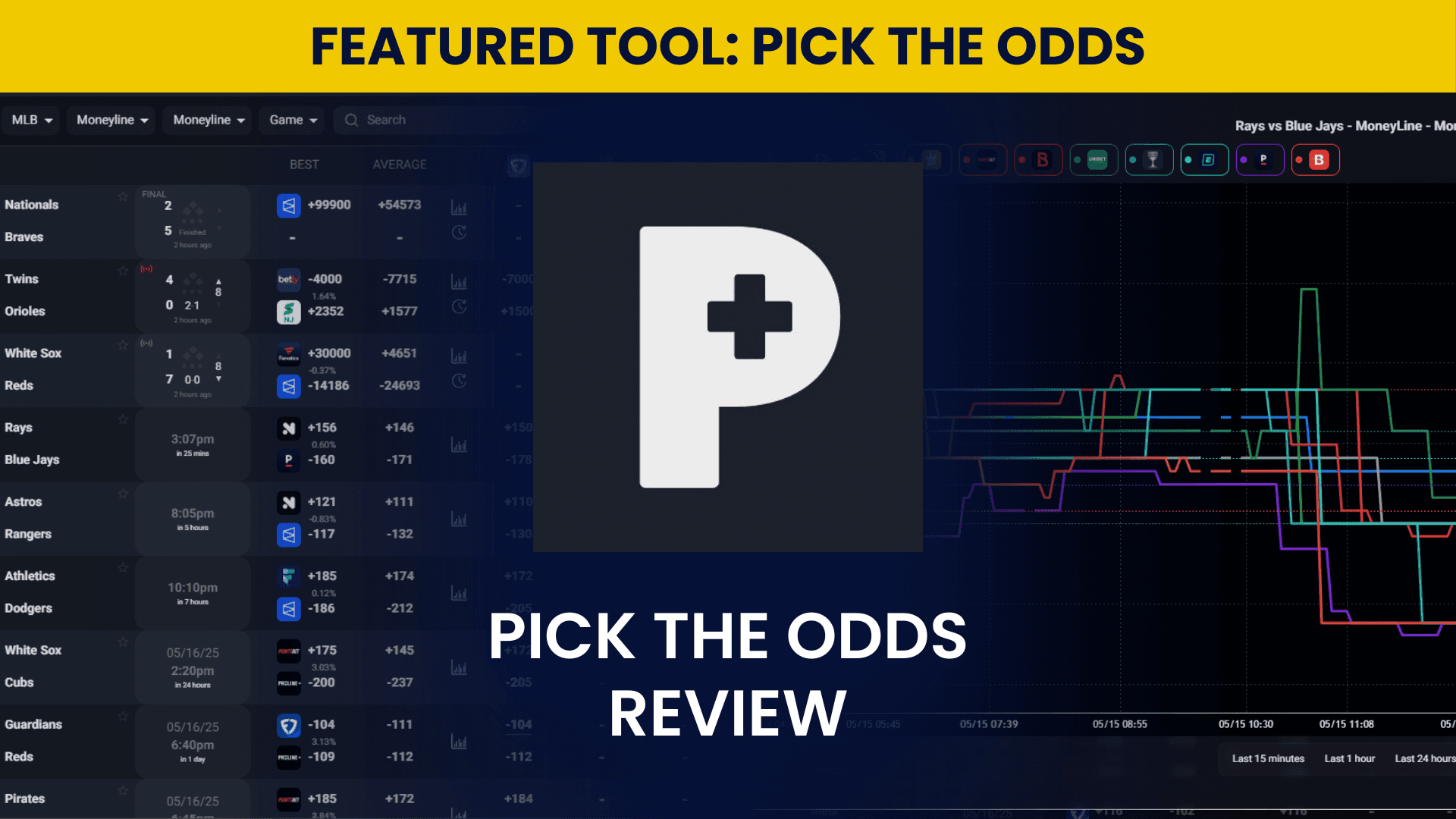
Pick The Odds Review for September 2026
Most +EV tools ask you to trust a number. Pick The Odds shows you where it came from. Every +EV card lists the books it devigged, the fair-value math behind the price, and the live line history, so you can see why a bet is flagged instead of tailing a black box. That transparency, paired with real speed, is the whole pitch.
The tool pulls odds from 100+ sportsbooks and refreshes them roughly every 1.2 seconds on paid plans. That speed is what makes the arbitrage finder and +EV screen usable when a price is about to move. You set your own devig method and filters, then act on gaps before the books correct them. When I ran it across the opening weeks of the college football season, the odds screen tracked what the books were actually posting within a couple of seconds. That matters most when you are half an arb into a position and the other side is still open.
This is a workflow tool, not a teaching app. If you bet a few games a week for fun, the depth will feel like overkill. If you work several books and treat betting like a market, Pick The Odds earns its place, and the free plan lets you find out which camp you are in before you pay anything. For the closest paid alternative, see our OddsJam review.
What Is Pick The Odds?
Pick The Odds is a real-time sports betting tool that combines odds comparison, positive expected value (+EV) scanning, and arbitrage detection across 100+ sportsbooks. It updates lines roughly every 1.2 seconds and gives bettors devig math, filters, and alerts to act on price gaps before books correct them.
Built for active multi-book bettors, Pick The Odds runs in the browser on desktop and mobile with a fully featured free plan and paid tiers from $40 to $150 per month. It is operated by Stratz LLC, payments run through Stripe, and companion apps on iOS and Android handle push alerts while the full scanning workflow stays on the web.
How to Sign Up at Pick The Odds
Signing up for Pick The Odds is a straightforward process. Pick The Odds does not have a mobile app, though it works well in a mobile browser; it's best used on a computer. Here's how to sign up and get started using Pick The Odds.
Go to Pick The Odds' website.
Click "sign up" in the top right corner.
Type in your email address
Confirm the code sent to your email.
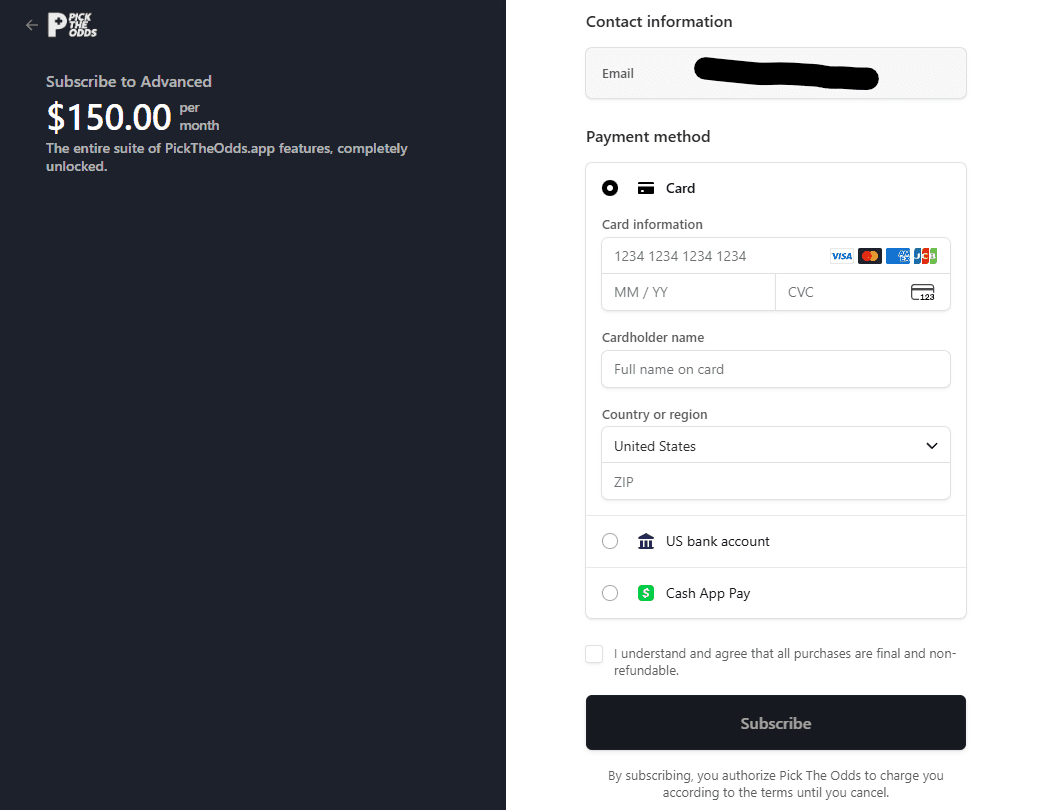
From there, you have your account, and you can choose to upgrade to a paid version on the next screen. Pick The Odds uses Stripe for payment, so it's easy to input your credit card, debit card, Cash App account, or bank account to get started.
Key Features for Pick The Odds: September 2026
Pick The Odds carries a wide feature set aimed at bettors who work several books at once. What separates it is depth. Plenty of tools offer +EV and arbitrage screens, but few pair them with three devig methods, per book fair-value weighting, saved filter presets, and a 1.2 second refresh inside the same subscription.
Pre-Game & Live Arbitrage
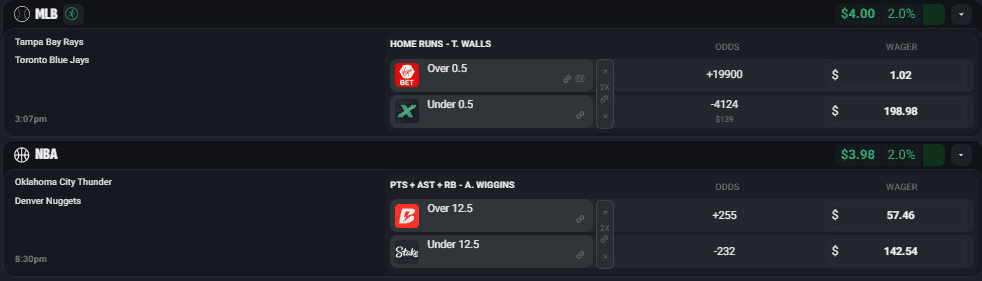
Whether it be before the game starts or while it is happening, Pick The Odds finds arbitrage opportunities quickly. Pick The Odds features a built-in calculator that allows you to enter your preferred bet amounts, enabling you to see exactly what you need to bet on both sides at the current odds.
Additionally, they feature an icon that flags what’s actually happening in the game, making it easier to spot arbitrage opportunities in real-time. A red icon indicates that a game is currently in progress, while a gray icon signifies that the game is live but not actively in play.
Pick The Odds is highly customizable, which is a significant value-added feature. You choose which sportsbooks are shown to ensure you only see sportsbooks you can bet at. Additionally, you can set up filters and notifications to ensure you only see arbitrage opportunities with a certain percentage. With Pick The Odds' deep linking functionality, in one click, you can open new windows bringing you directly to the sportsbooks with the arbitrage opportunities to get bets in.
Pre-Game & Live +EV
Similar to the arbitrage feature, Pick The Odds showcases live and pre-game positive expected value opportunities. These opportunities are displayed on "cards", and each card shows the play, the different books you are devigging from, and the odds at the bet at other sportsbooks in the market.
The best part of Pick The Odds EV is that it is entirely customizable. There are three devig methods, additive, multiplicative, and power, and you can choose which method you want for your EV calculations. The card also displays the expected ROI of each bet, along with a suggested bet size based on your bankroll.
Not only does Pick The Odds do the math for you, but there are additional actions, such as tracking the bet or applying odds boosts, that are in this view. All of this is customizable within your EV Controls settings, where you can filter sportsbooks, adjust devig formulas, and tailor your interface exactly as you like it.
More advanced users can dive deeper, assigning different weights to specific books when calculating fair value. By default, sharp books are weighted evenly, but if you think a different book is sharper in a given sport or market, you can manually adjust your EV calcs. This adds a layer of flexibility and personal strategy to the EV process, making your EV calculations from Pick The Odds entirely up to you and your betting style.
Lightning-Fast Real-Time Odds Screen
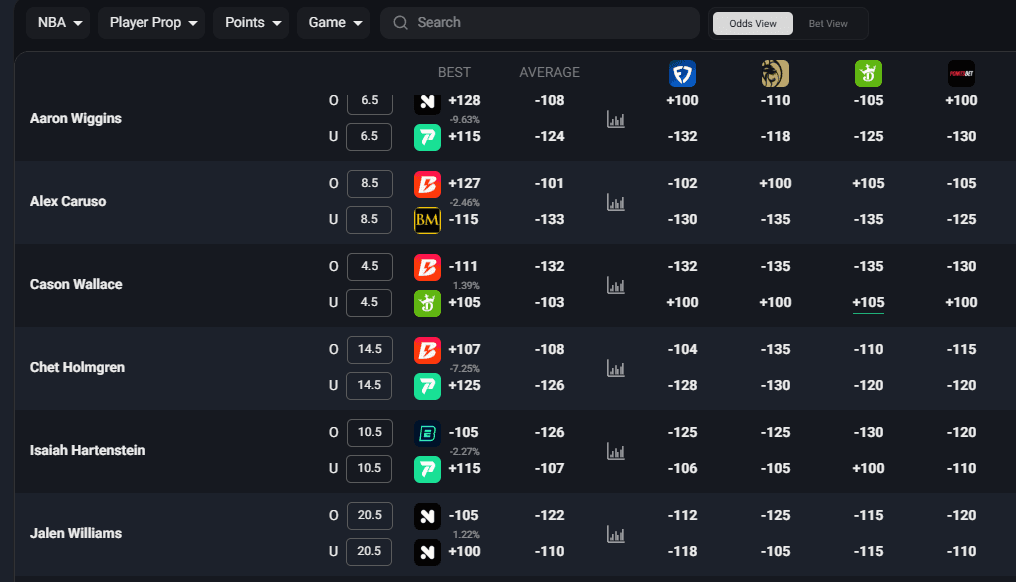
Odds update roughly every 1.2 seconds, making it one of the fastest pre-game and live betting platforms. Whether scanning lines for EV or jumping on arbitrage, the speed here gives you a legitimate edge. The odds screen itself is simple and easy to use. They also have a wide array of leagues and markets available, such as:
Basketball (NBA, CBB, UEFA Euro, Olympics, WNBA)
Baseball (MLB, NCAA)
Soccer (La Liga, EPL, French Ligue 1, German Bundesliga, Italian Serie A, Brazilian SerieA, MLS, Olympics)
Football (NFL, NCAAF, CFL)
Hockey (NHL)
Tennis
All users, including those on the free tier, get access to live odds. The limiter is the Odds Screen refresh, which is capped at one refresh every 60 seconds for non-logged-in users and every 15 seconds for logged-in free users. Paid users get the full rate of roughly 1.2 seconds.
Another massive value add is that the odds screen shows every available market across 100+ sportsbooks. It features a search bar for ease of use, and it's so fast that you can use it instead of relying on other third parties to stay up to date on what's happening in a game. Packed with line history, liquidity information, niche markets, and more, it's one of the most impressive odds screens on the market.
Advanced Filtering & Customization
Filtering is where Pick The Odds separates itself from cheaper scanners, so it gets its own section. Each page has a dedicated filter menu covering sportsbooks, bet types, timeframes, and leagues.
These filters are unique to each page, meaning settings on your EV+ screen won’t carry over to Arbitrage or any other section. To make things more efficient, you can save custom configurations as Quick Filters, which act like presets. This allows you to switch between different setups, like one for live MLB player props and another for NFL totals, without having to reselect everything each time. You can build, edit, and even set a default Quick Filter to load automatically when you visit the site, giving you complete control over how your betting data is presented and streamlined access to the bets that match your strategy.
Advanced filters go a step further. You build targeted rules that start from a specific point, such as a sportsbook, sport, league, market category, or individual bet type. These rules run independently of your standard page filters, so you can view only the advanced-filtered results if you want. In practice, that means a rule like "player props at the two books where I am not limited" becomes a saved screen instead of a manual filter you rebuild every morning.
Push Notifications
With Pick The Odds, you can set notifications based on your custom filters. When your filters find a bet, they send you a notification. These notifications can go to your desktop, phone, or both devices. This helps bettors identify specific edges more quickly and on the go.
Educational Resources and Calculators
Pick The Odds includes tutorials, onboarding videos, and a set of betting calculators covering EV, parlays, and arbitrage. They are open to every plan, including free, which helps newer bettors learn the math the screens are built on before they start staking real money on it.
Middles, Low Holds, & Free Bet Converter
Beyond +EV and arbitrage, Pick The Odds covers three more workflows: middles, low hold markets, and free bet conversion.
The Middles Page includes standard filters similar to those on other parts of the tool, with one unique option: the distance filter. This allows you to set a minimum gap between the two lines in the middle, such as requiring at least six points between them to display.
The Low Hold screen helps you find near break-even betting opportunities that are ideal for transferring funds between sportsbooks or meeting playthrough requirements with minimal risk. It functions similarly to the Arbitrage screen, showing bets where one side is placed at the book you want to withdraw from and the other at the book you want to fund. The Assistant tool makes it easy to filter for these setups based on your preferred books.
The Free Bet Converter helps you turn sportsbook-issued free bets into real cash by placing the free bet on one side and hedging the other side at a different book. You can customize the results shown using the Assistant tool or, for more experienced users, by applying an Advanced Filter.
Pick The Odds Pricing and Free Plan
Pick The Odds runs on a freemium model with a genuinely useful free plan and three paid tiers, and there is no promo code needed. You can use it on mobile or desktop.
The free plan includes the full feature set, the odds screen, positive EV cards, and the arbitrage finder, with limits on refresh speed and result volume rather than locked features. The odds screen refreshes every 15 seconds on the free plan and roughly every 1.2 seconds on paid plans. That split is the whole decision: the free tier tells you whether the workflow suits you, and the paid tiers decide whether you reach the price before it moves.
The paid tiers are Starter at $40 per month, Intermediate at $100 per month, and Advanced at $150 per month. Annual billing takes 12.5 percent off, which works out to roughly $35, $87.50, and $131.25 per month. Starter and Intermediate include 5-day free trials and cap how many sportsbooks, leagues, and results you can scan at once. Advanced removes the arbitrage, EV, sportsbook, and league limits entirely, which only pays off if you hold accounts at enough books to use that width.


Pick The Odds Promo Code & Free Trial
Pick The Odds does not run a public promo code right now, and the tool is upfront that none is needed. What it offers instead is a permanent free plan plus 5-day free trials on the Starter and Intermediate tiers, so you can test the odds screen, +EV cards, and arbitrage finder before paying anything.
The free plan unlocks the full feature set with limits on refresh speed and result volume rather than locked sections. The trials open up the faster refresh and the higher result caps, which is the part worth testing, because the question is not whether the math works but whether you can act on it fast enough. If Pick The Odds adds a promo code later, we will update this section.
Why Pick The Odds Stands Out
Transparency sets Pick The Odds apart. The tool shows its work, the books it devigs from, the fair-value math behind every +EV card, and live line history, so you can see exactly why an opportunity is flagged instead of taking a number on faith. You also pick the devig method yourself, additive, multiplicative, or power, so the fair value on your screen reflects your assumptions rather than someone else's default.
The platform is built around repeatable process rather than picks. There is no tout feed and no parlay of the day, just fair value, hold percentage, and line history you can check against the book sitting open in the next tab.
Value-Packed Even in Lower Tiers
Plenty of competitors put live odds behind their top tier. Pick The Odds keeps the odds screen, +EV cards, and arbitrage finder available at every level, including the free plan, and the limits land on refresh speed and result volume instead of locking features away. That makes the free tier a real testing ground rather than a demo, and the tutorials and calculators are open to everyone. Positive EV betting tools and arbitrage betting tools in this class tend to start near $100 per month. OddsShopper Portfolio EV, for one, runs $99.95, so having a working version at $0 is unusual.
Feature Depth & Variety
Depth is the other reason to consider it. Three devig methods, per book fair-value weighting, page-specific Quick Filters, rule-based advanced filters, middles with a distance threshold, low hold, and a free bet converter all sit inside one subscription. Few tools in this category carry that many workflows at once, and the ones that do tend to cost more. None of it guarantees a winning month, but it does mean you are not stitching three subscriptions together to run one process.
Areas for Improvement
The mobile apps are alert-only: Pick The Odds ships iOS and Android apps, but they exist to deliver push notifications rather than to run the platform. The scanning, filtering, and calculators still live in the browser, and the tool is at its best on a larger screen where you can watch several markets at once. The iOS app still sits on version 1.0.3, last updated in June 2025, and carries a 2.5 star rating from a small handful of reviews that point at exactly that gap. A real mobile workflow would be a meaningful addition, especially given how much of the web product is already built.
Learning curve for newer bettors: The depth of filtering and customization is a strength, but beginners can feel overwhelmed at first. Three devig methods and page-specific filter presets are a lot to meet on day one. The onboarding videos and calculators help, though it still takes time to get comfortable.
You still need book access to execute: The value only materializes if you can actually place the bets it surfaces. Bettors without accounts at enough sportsbooks, or those already limited at the recreational books, will get less out of it than the screen suggests.
What's New at Pick The Odds (July 2026)
The execution angle still defines the product: Pick The Odds continues to make the most sense for bettors who care about low-friction scanning and fast reaction time around price mistakes.
Best fit remains active multi-book users: If you are cycling through several sportsbooks and treating betting like a market exercise, the platform is still more compelling than it is for casual once-a-week bettors.
Still more of a workflow tool than a teaching tool: Pick The Odds helps users move on opportunities. It is not trying to educate beginners from scratch, and that is fine if you already know what signals you are looking for.
Recommended Platforms to Use Pick The Odds
While it's always best practice to have as many sportsbooks as possible at your disposal, not all sportsbooks treat their customers the same. Pick The Odds has over 100 sportsbooks on its site, and the more books you have, the more bets you can place, and if your EV calculations are on point, the more you will win.
Most recreational sportsbooks like DraftKings and BetMGM are quick to limit sharper bettors, and if you constantly beat the market, get CLV, or place half an arb at these books, your account will go quickly. While you should certainly use these accounts until you get limited, we recommend other platforms like Novig, BetOpenly, and ProphetX. Often, they offer the best prices, never limit you, and are suitable for arbitrage betting.
Novig: A peer-to-peer prediction market, Novig will never limit winning bettors, and Pick The Odds EV feature often finds the best prices on Novig. Pick The Odds also has liquidity information for Novig. Read our Novig review.
Kalshi: A prediction market that has seen a ton of handle and begun offering more and more sports markets. Pick The Odds has liquidity information and real-time odds from Kalshi.
ProphetX: A CFTC-regulated prediction market where you trade sports contracts peer to peer, so winning traders are not limited the way they are at a sportsbook. Sign up through our link and code BETSMART applies automatically. Read our ProphetX overview.


Is Pick The Odds Legit?
Yes, Pick The Odds is a legitimate betting tool, not a picks service or a get-rich scheme. The clearest trust signal is that it shows its work. Every +EV card lists the books it devigs from, the fair-value math behind the number, and live line history, so you can verify why a bet is flagged instead of trusting a black box.
The platform is operated by Stratz LLC, the company listed as the developer on both the iOS and Android apps, and subscriptions run through Stripe. The fully featured free plan lets you confirm the product does what it claims before you pay, and it aggregates real odds from 100+ sportsbooks with refreshes roughly every 1.2 seconds. The fair caveat is that this is a young platform, first released in 2025, so it has a shorter track record than OddsJam or Unabated. It is also a data and workflow tool rather than a guarantee. It surfaces edges, and you still need book access and discipline to turn them into profit.
Is Pick The Odds Worth It?
If you are even semi-serious about +EV or arbitrage betting, Pick The Odds is worth testing. It is fast, cleanly built, and priced below several premium competitors while matching or beating them on customization and speed.
The free plan is the reason to start here rather than with a paid competitor. You get the odds screen, the +EV cards, the arbitrage finder, and the full calculator set without putting a card on file, with limits on refresh speed and result volume instead of locked features. Plenty of tools in this space give you a walkthrough video and a paywall.
Here is a test that actually answers the question. Run the free plan through one full NFL Sunday and count only the flagged edges at books where you hold a funded account. Then do the math: ten bets at a 3 percent edge on $100 stakes is $30 of expected value for a single Sunday, or roughly $120 across a month of Sundays, which clears the $40 Starter price with room to spare. If your number clears $40, take the 5-day Starter trial and see whether the faster refresh gets you to more of those prices before they close. If it does not, keep the free plan. No promo code is needed, and nothing is locked behind one.
Final Thoughts
Pick The Odds suits the bettor who already knows what a fair price looks like and wants to find it faster across 100+ books. If you are cycling through multiple accounts and treating betting as a market, the speed and the visible math justify the subscription. If you bet a few games a week for fun, the free plan will tell you that quickly and at no cost.